Turn your IMDb ratings into a TV and movie tracker
Years of IMDb ratings say a lot about what you have seen. emberslate imports your IMDb ratings and watchlist exports, files the rated titles as watched and the rest as want to watch, and gives you a tracker built around them.
Android · Available now on Google Play · All features currently free
Moving over
How to import from IMDb
Export your lists from IMDb
On IMDb, export your ratings, your watchlist, or any list you made. Each one downloads as a CSV file.
Install emberslate
emberslate is available now on Google Play for Android. Install it and sign in.
Import and review
Choose IMDb in emberslate's import and pick a CSV, or a zip of several. Check what matched and deselect anything you don't want.
Apply, then keep going
Apply it to your library. From there, mark episodes, add new titles and let your stats fill in as you watch.
What carries over
- Rated titles, as watched
- Your ratings, on the same 1 to 10 scale
- Watchlist and unrated list titles, as want to watch
- Films and TV series both
IMDb records when you clicked a rating, not when you watched, so no dates are imported. That keeps your history from starting with hundreds of titles stamped on a single day. A title on two of your lists becomes one entry.
After the move
What you get after the import
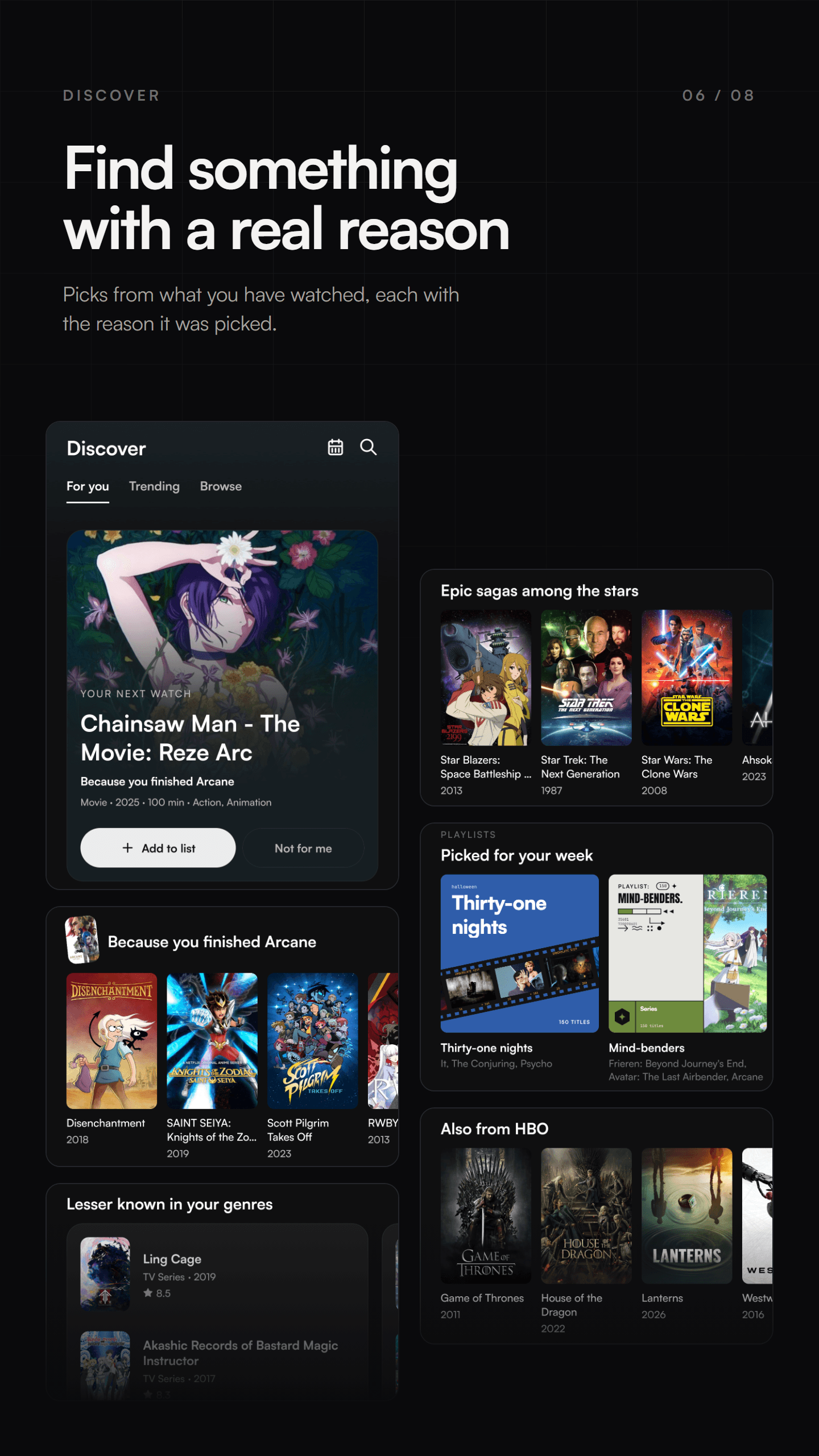
- Picks from your own ratings
- For you suggests what to watch next from what you have seen, and says why it picked each one.
- IMDb and Rotten Tomatoes scores
- Title pages show the IMDb rating and Tomatometer next to the emberslate members' rating, when a title has them.
- Episode-level progress
- Mark a single episode, a season or a whole series, and always see the next episode waiting.
- A release calendar
- Every upcoming episode and premiere from what you follow, with airtimes in your time zone.
All features are currently free, with no advertising. Read the privacy policy for what emberslate stores, and delete your account from the app or the web whenever you like.
Questions
Importing from IMDb
Can I import my IMDb ratings into another app?
Yes. IMDb lets you export your ratings, watchlist and lists as CSV files, and emberslate can read them. Rated titles land as watched with your rating, and unrated ones as want to watch.
Which IMDb files does emberslate read?
The ratings export, the watchlist export, or any list export, as a single CSV or several zipped together. A title that appears in more than one file becomes one entry, and a rating on either wins.
Why don't my watch dates come across?
IMDb does not record when you watched something, only when you rated it. For anyone who rated their back catalogue in one sitting, that date would be the same day for hundreds of titles, so emberslate leaves them undated.
Does it change my IMDb account?
No. emberslate only reads the files you upload. It never connects to your IMDb account.
Is emberslate free?
Yes. All emberslate features are currently free, including release reminders, themes, advanced stats and your full timeline history. There is no advertising in the app. Pricing may change as the app grows, and we will explain any change before it affects you.
Is emberslate connected to IMDb?
No. emberslate is an independent app made by emberfold labs. It is not affiliated with IMDb; it reads the export files IMDb provides.
Put your IMDb ratings to work.
Get emberslate on Google Play and import your IMDb exports today.
IMDb is a trademark of IMDb.com, Inc. emberslate is not affiliated with or endorsed by IMDb.